 Loopstack
 Pro · Mac
Loopstack Pro
The whole Loopstack studio on the big screen. Start a loop on your phone, then arrange, edit, mix and finish it on your Mac.
A separate purchase from Loopstack for iPhone and iPad. One price, every feature, no subscription.
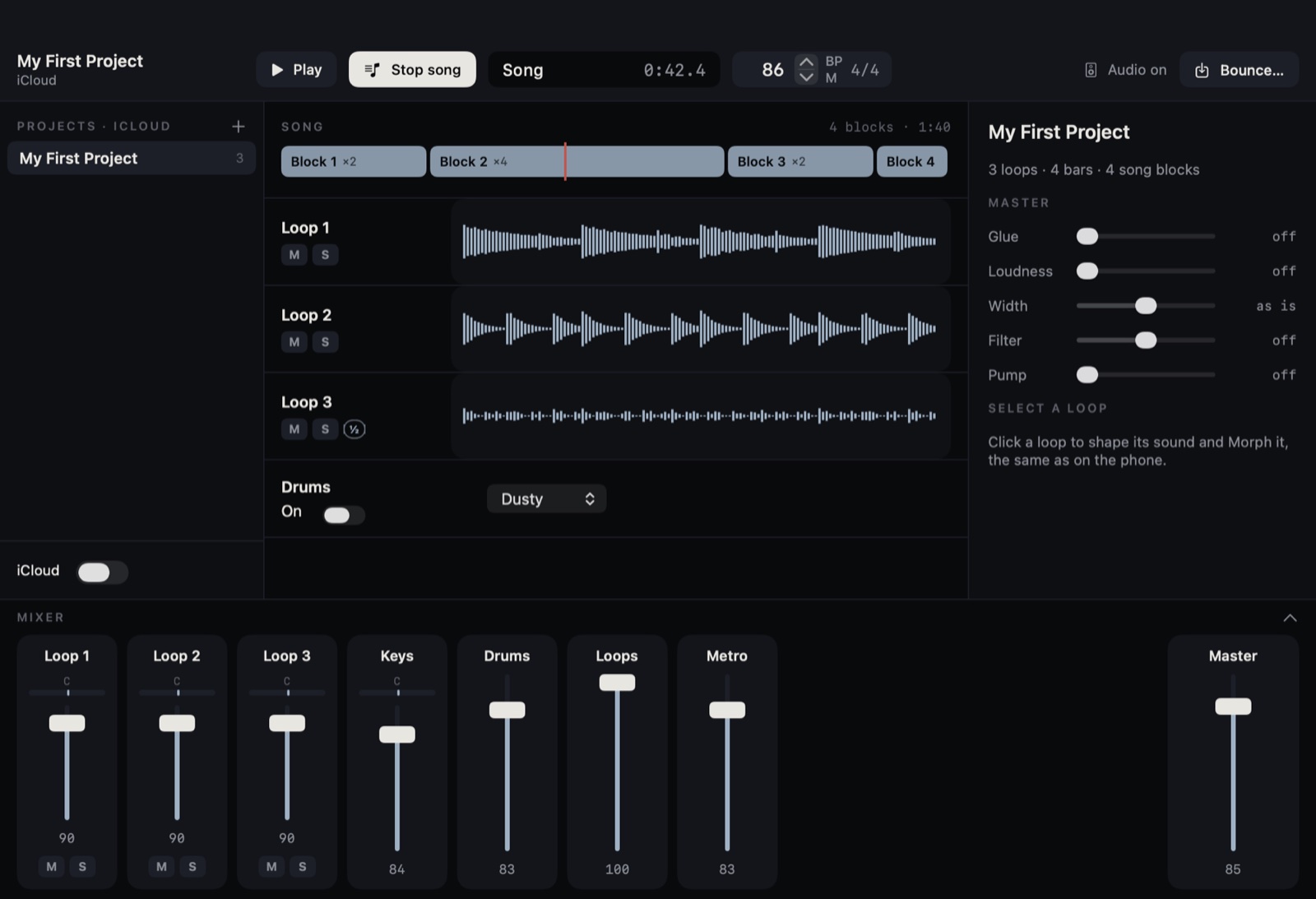
Everything you'd skip on a phone, done properly.
Arrange the whole song
Lay loops and audio out on a timeline, link clips together, and send a loop or the whole stack straight to the song.
Play it live
Launch scenes from the keyboard or a controller, then record the performance onto the timeline.
Fix every note
Edit the notes in any Keys loop after you play it, then hear them with any sound. A drum editor does the same for beats.
Warp, pitch, convert
Warp audio to the song's tempo, adjust the pitch of single notes in a recording, and turn audio into MIDI.
Pull a song apart
Split audio into stems, including a voice-only stem from Apple's voice isolation, and import MIDI files.
Move it over time
Draw automation for track settings and plugin controls on each track's lanes.
92 sounds, voiced for studio monitors.
A bigger library on nine shelves: Keys, Bass, Lead, Pluck, Pad, Strings & Brass, Bells, Cinematic and FX, with the phone's sounds kept under Classic. On the Mac they have more drive, longer tails and real rooms.
- A full synth panel: macros, draggable envelope and filter curve, 12 or 24 dB slopes, a second LFO
- Character for each of the 22 recorded instruments: piano hammer and lid, organ rotary speaker, guitar amp and cabinet, string bowing
- Drive, Tape, Mod, Echo and a deep reverb you can freeze
Made for your hands, not just your mouse.
Effects on the trackpad
Ten performance modes, from bend and sweep to dub, wash, harmony and DJ, played with your fingers. Pin an effect with a click.
One move, many knobs
A labelled map of Tone, Shape, Colour and Space. Drag across it and several settings move together.
Play from anything
A MIDI keyboard with your own touch curve, or the Mac keyboard. Arpeggiator with gate, swing and accent, plus mod and pitch wheels.
Your Audio Units
Plugin chains on every track and on the master, with presets, reordering and automation.
A real mixer
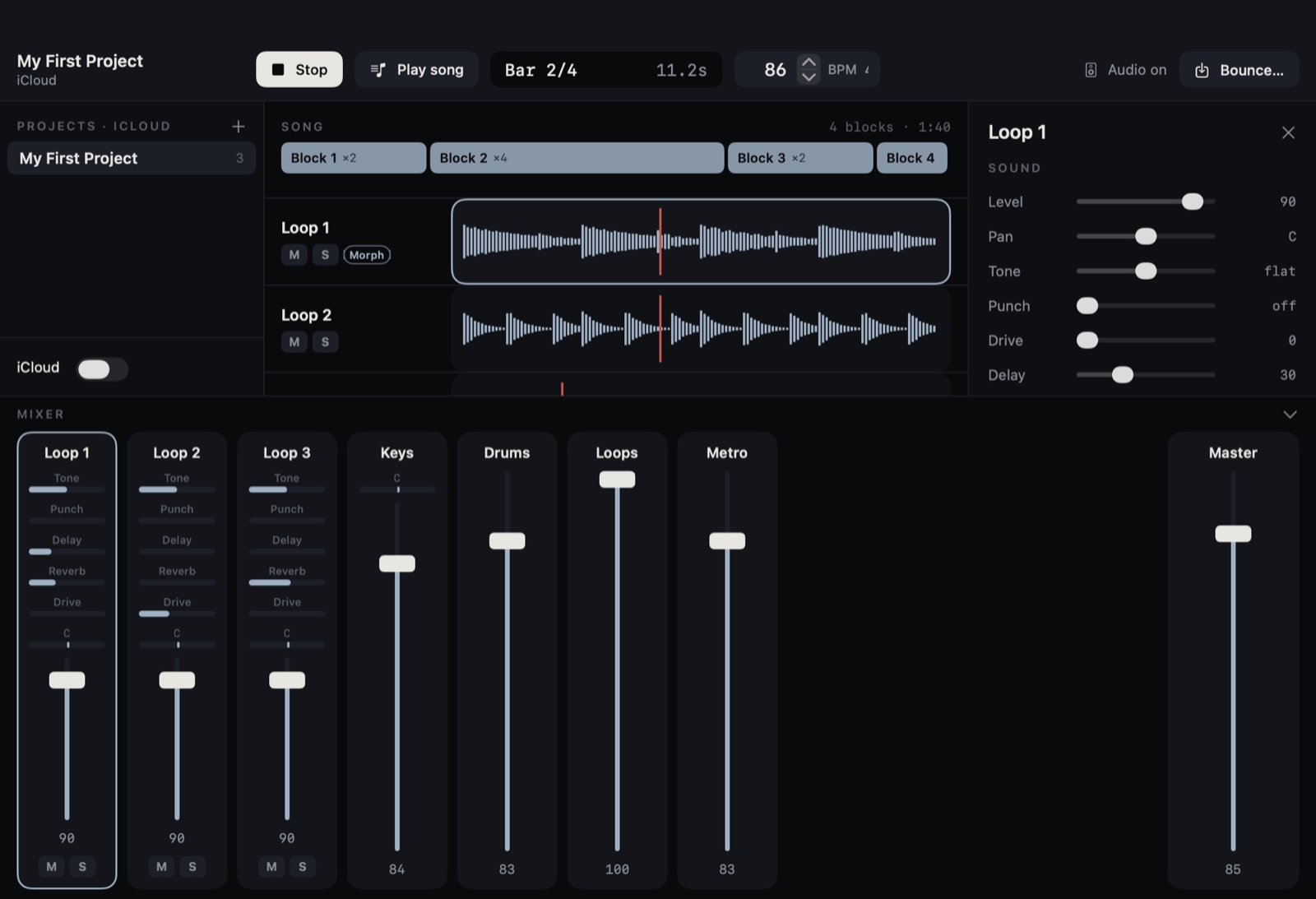
Strips for every loop, keys and drums, with Tone, Punch, Drive, sends and the master chain: Glue, Loudness, Width, Filter and Pump.
One project, two screens
Projects sync through your own iCloud Drive, so phone ideas open on the Mac with every loop and sound intact.
What you need
Good to know
Do I need Loopstack on my phone?
No. Loopstack Pro is a complete studio by itself. If you also use Loopstack on iPhone or iPad, your projects move between them through iCloud.
Is it included with Loopstack for iPhone?
No, it's a separate Mac app with its own one-time price. Loopstack on iPhone and iPad stays its own purchase too.
Is it a subscription?
No. Pay once and every feature is included.
When is it out?
From pocket idea to finished track.
Loopstack Pro is coming to the Mac.